


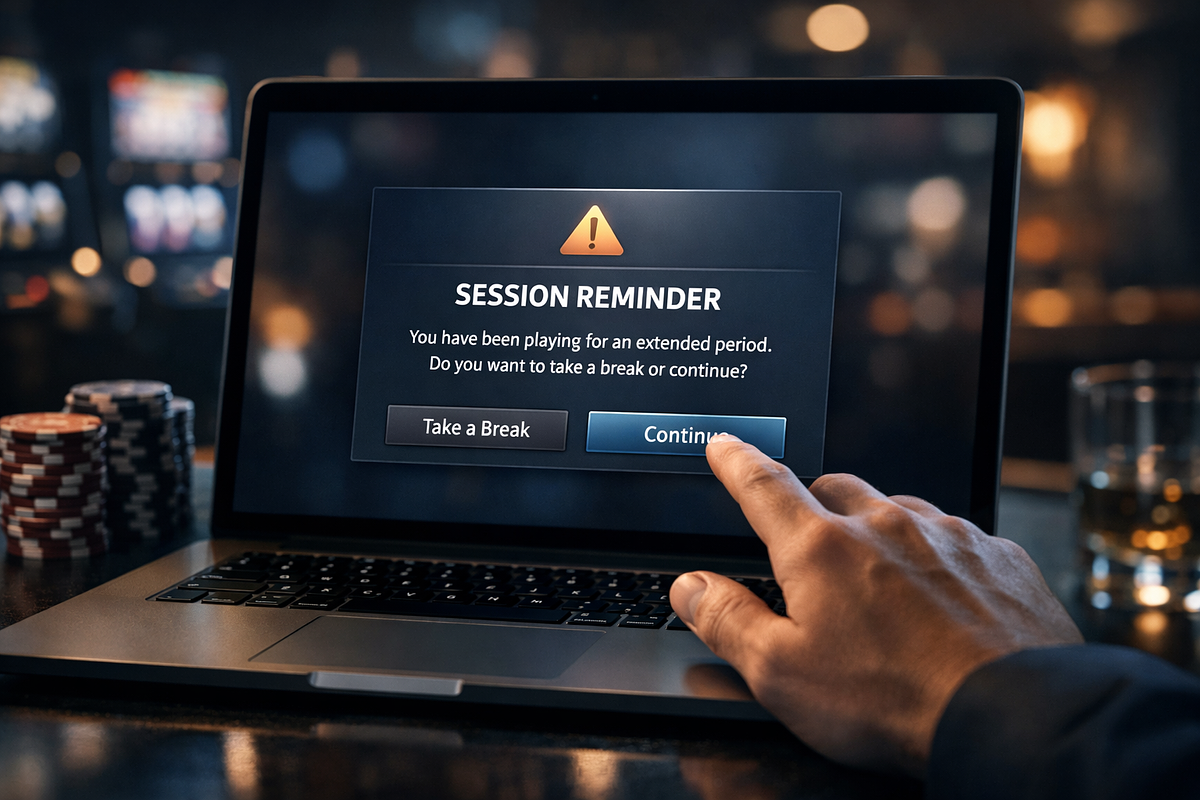
Reality checks are mandatory on-screen interruptions that pause gameplay at set intervals and require you to actively acknowledge them before play can continue. In the UK, this is a technical requirement under the Gambling Commission’s Remote Gambling and Software Technical Standards, which means every licensed remote gaming operator must use them. This page explains how the prompts are triggered, how their frequency can be configured, and what you’re being asked to decide when one appears. By the end, you’ll be able to read what the interruption is showing you and make a more informed choice about whether to continue or stop your session.
What a Reality Check Is in an Online Casino
A reality check is a mandatory on-screen interruption that shows you how long you’ve been gambling in a session. Under RTS 13B of the UK Gambling Commission’s Remote Gambling and Software Technical Standards, you must actively acknowledge the interruption before it clears from the screen. It halts your session at a set interval and sits between you and any further play. It’s not a passive counter running in the background. It takes over the screen and requires a response.
A continuous on-screen timer can be ignored because it sits in your peripheral vision rather than demanding your attention. A forced interruption that requires acknowledgement works differently: you have to make a conscious decision to dismiss it, which creates a moment of deliberate attention that a passive display doesn’t. That’s why regulated markets use forced pauses rather than ambient time displays alone. The design puts the decision to continue back in your hands at a defined point in the session.
How a Reality Check Works During a Session
At the interval you’ve configured, the gambling system pauses gameplay and displays a notification on screen. You must actively acknowledge that notification before it clears. It doesn’t dismiss itself. Once you’ve acknowledged it, you’re given a direct choice: continue the session or leave it. This repeats at each subsequent interval for the duration of your session.
The pause operates at the gameplay layer, not just as an overlay you can ignore while a game keeps running. Under RTS 13B, a reality check must stop a new game within an auto-play sequence from starting until you’ve acknowledged it. So if you’ve activated auto-play on a slot, the sequence stops at the reality check boundary. The next spin doesn’t execute. The interruption is a hard gate on game progression, not a cosmetic alert alongside active play.
The reality check is built as a decision prompt, not a passive notification. You’re explicitly asked whether to continue the session or exit and log out of your account. At the same point, the interface shows a link to your account history. The tool is built around a binary choice, with a route to historical data alongside it. That means the interface is asking for a deliberate, informed response at each interval, not just confirming you’re still there.
The Information Displayed During a Reality Check
When a reality check triggers, the on-screen notification pulls together several pieces of session data into a single summary you must actively acknowledge. Most operators display four categories of information: how long the session has run, how much you’ve staked, your current account balance, and your net financial position for the session. This gives you a view of both time and money in one interruption, rather than showing either in isolation.
Showing time and money data together is what makes the interruption work as a genuine awareness prompt. A time counter alone wouldn’t tell you whether the session had been profitable or costly. A financial figure without time context wouldn’t tell you how long you’d been playing.
| Data Field | What It Represents |
|---|---|
| Time elapsed | Total time spent in the current session, displayed in seconds, minutes, and hours |
| Money wagered | Total amount staked during the session |
| Current balance | Account balance at the point the reality check is triggered |
| Net position | Overall gain or loss for the session |
Configuring the Frequency of Reality Check Alerts
UK-licensed operators must offer a customisable interval range for reality check alerts. The Gambling Commission’s technical standards also require that any default interval be set at the minimum available option, not a longer one. You can set or change your chosen frequency at any point during a session, not only before it starts. The range of available intervals varies between operators, with at least one named operator spanning from a short minimum to a multi-hour maximum. Because the setting is adjustable mid-session, you can change it without leaving the game if the default feels too frequent or not frequent enough.
Some operators structure their notification system as a layered setup rather than a single recurring alert. In this model, the reality check is one tier among several, each with its own default interval, customisable range, and a distinct set of information beyond the basic time-elapsed figure. Knowing which tier a specific alert belongs to helps you interpret what the prompt is signalling. A short-interval check surfaces session-level data, while later tiers introduce comparative and behavioural information that a single time-elapsed display doesn’t provide. Setting a shorter interval is one option; some players go further and track session time themselves.
| Notification Tier | Default Interval | Customisable Range | What It Adds Beyond Time Elapsed |
|---|---|---|---|
| Tier 1 – Regular check | 30 minutes | 15–120 minutes | Time elapsed, money wagered, current balance, net position |
| Tier 2 – Extended play notification | 60 minutes | 45–180 minutes | Comparison to average session data |
| Tier 3 – Break reminder | 2 hours | 1–4 hours | Enforced cool-down period with session summary |
| Tier 4 – Daily limit notification | 4 hours | 2–6 hours | Pattern analysis and risk level information |
How Reality Checks Support Responsible Play
A reality check pulls together elapsed time and financial position into a single forced interruption. Because you must actively acknowledge the display before play can resume, the tool creates a defined moment of awareness rather than leaving session data available but easy to ignore. That combination of a forced pause and consolidated data is how the tool works as an awareness aid. The UK Gambling Commission’s stated aim for RTS 13 is to provide customers with facilities to help them keep track of the time they spend gambling.
A gaming session can distort your sense of both time and money because individual bets and short intervals don’t register as cumulative totals while play is continuous. Showing elapsed time alongside net position at a forced interval reframes the session as a measurable block of activity rather than a series of disconnected moments. That’s why the tool combines two data types, time and money, in a single display. Neither figure alone produces the same effect as both together. Data from the European Gaming and Betting Association indicates that as of 2023, 65% of European customers of EGBA member operators used safer gambling tools, totalling 21 million customers, which shows that engagement with these tools is widespread rather than marginal.
Behavioural patterns like chasing losses are hard to spot from within a session because each decision is made in the context of the immediately preceding one, not the session as a whole. A session summary presented at a forced interval gives you that whole-session view at regular points, making patterns visible that would otherwise only be apparent in retrospect. The tool surfaces that data for you to interpret. It doesn’t assess or categorise your behaviour on your behalf. The tool makes data visible, not judgements. That’s an important distinction for understanding what the interruption is doing and what you’re expected to do with the information it presents.
The Regulatory Basis for Reality Checks
In the UK, reality checks are not a feature operators choose to offer. They’re a mandatory technical standard that licensed remote gambling operators are legally required to use. The requirement sits within RTS 13, formally titled “Time requirements and reality checks,” published by the UK Gambling Commission under its Remote Gambling and Software Technical Standards. That document is issued under sections 89 and 97 of the Gambling Act 2005. The specific obligation for reality checks falls under RTS 13B, which defines both the technical shape of the tool and the minimum conditions it must meet.
RTS 13B applies to remote gaming, including bingo but excluding peer-to-peer gaming, as well as remote instant win lotteries and high-frequency lotteries. It doesn’t cover all remote gambling products, so the requirement is product-specific rather than universal across a licensed operator’s full offering.
The obligations set out in RTS 13B define the minimum shape a compliant reality check must take. Knowing them lets you assess whether a specific casino’s reality check meets the underlying standard or falls short of it. The interruption must do more than display a timer. It must present a clear exit route and connect you to your account history. The obligations below define what a compliant setup must include.
- Accessibility: The tool must be available for you to set or change at any point during a session.
- Default frequency: Where a default interval is offered, it must be set at the minimum available interval.
- Exit route: The interruption must give you a way to leave the session or log out.
- Account history link: The interruption must provide access to session and account history.
- Implementation level: The check may be applied at account level, product level, or through a hybrid arrangement across game types.
Setting Up a Reality Check on Your Account
The reality check setting is typically found in the responsible-gambling or account-controls area of your account menu. UK Gambling Commission standard RTS 13B requires that the tool be accessible at all times, which means operators must keep it reachable not only before a session starts but throughout one. You can adjust the setting mid-session without logging out or ending play. Navigation labels vary between operators, but the setup path follows a consistent structure across compliant platforms.
Although individual operators use different menu labels, the setup path follows a consistent shape because the accessibility requirement in RTS 13B applies to all licensed remote gaming operators. Knowing that consistent shape lets you find the setting on any compliant platform without needing brand-specific instructions. The sequence below reflects how a setup path typically looks on a compliant operator.
- Locate account settings: Access the responsible-gambling or account-controls area from the account menu.
- Open reality check settings: Select the reality check or session reminder option.
- Choose an interval: Select a frequency from the operator’s available range.
- Confirm the setting: Save the setting so it applies from the next session or the current one.
- Adjust mid-session if needed: Return to the same setting area during a session to raise or lower the frequency.
We check operator terms, licences and payment details against the casino's own pages and update this content when they change. Read our editorial policy, our transparency statement, or report an error. If gambling stops being fun, see our responsible gambling resources.