

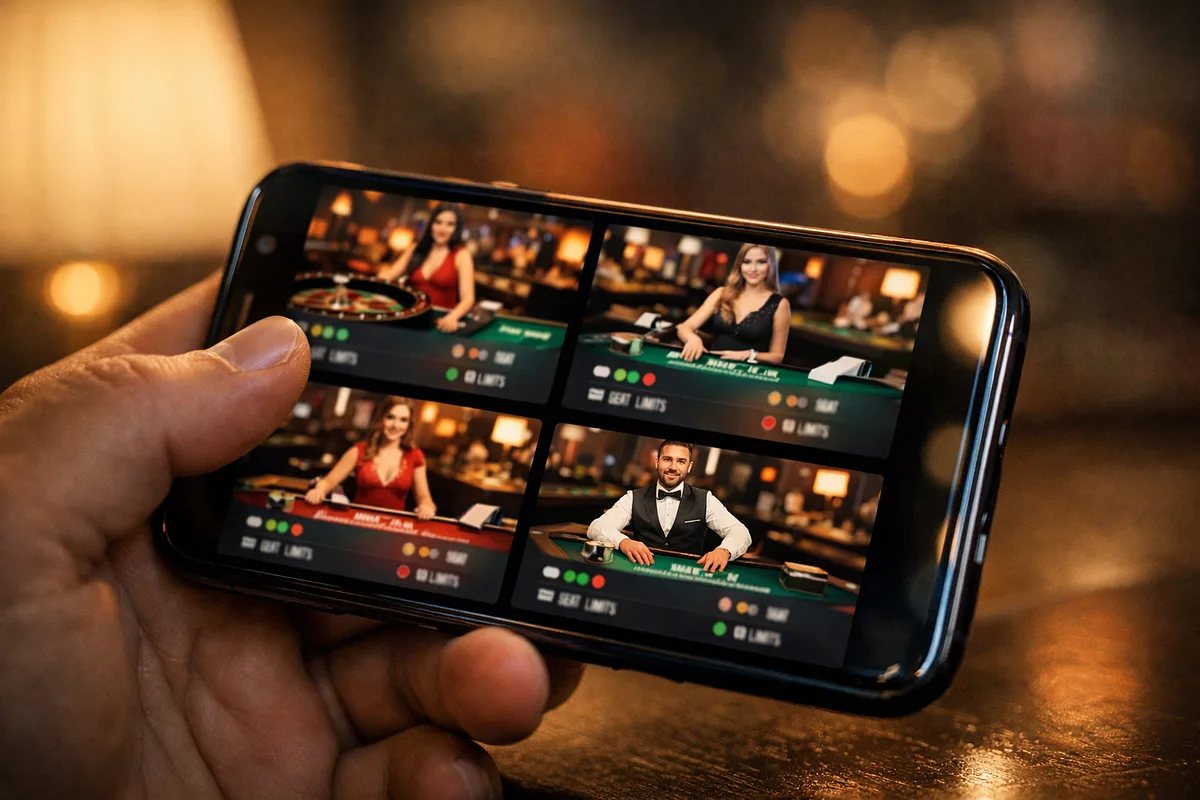
Every live casino lobby card tells you four things before you ever click into a table: whether there’s a seat open, what the betting range is, how fast the game moves, and what language the dealer speaks. This article walks through how to read each of those signals, including what you’ll find in the rules panel behind the card. By the end, you’ll be able to pick a table that fits your budget, pace, and preferences without any guesswork.
The Anatomy of a Live Casino Lobby Card
A lobby card is a compact panel that shows you a table’s current state before you join. It covers the four things that matter most for choosing a table: seat status, betting limits, pace, and dealer language. It also gives you access to a rules panel with the finer details that don’t fit on the card itself. You can read all of this from the lobby without opening the table. The sections below go through each signal one at a time, covering what it shows, how it works, and what it means for your decision to join.
Seat Availability Signals in the Lobby
Seat availability is the first thing to check when scanning a live casino lobby. A table you can’t join directly changes every decision that follows: do you wait, use an alternative way in, or move on? Lobbies show seat status through a few different visual conventions, and knowing what each one actually means helps you avoid skipping tables you could have joined.
Reading Open Seat Counts and Full-Table Indicators
Some lobby cards show a remaining seat count, an active player count, or both, so you can see whether a seat is open without clicking in. A full-table indicator means no direct seat is available. But that’s different from a card that simply doesn’t show a seat count at all. When a card has no seat figure, the table might still have open seats that the operator just chose not to display at the card level. Don’t treat a missing number as confirmation that the table is full. NetEnt’s live casino glossary confirms that a standard live casino game holds a maximum of seven players, which is the ceiling to measure any displayed seat count against. Knowing the difference between a confirmed full-table indicator and a card that’s just silent on seat count stops you from skipping joinable tables because of missing data.
Waiting Lists, Bet-Behind, and Shared-Hand Formats
When all direct seats are taken, the lobby may offer alternative ways in rather than just marking the table unavailable. Seat counts are capped by the dealer setup, so providers build access structures that let more players participate without needing an empty seat. Each option appears differently on the lobby card and gives you a different level of control over your wagers, so they’re not interchangeable.
| Access Mode | How It Appears in the Lobby | What the Reader Controls |
|---|---|---|
| Waiting List | A queue indicator or “Join Waiting List” prompt on the lobby card, signalling that you’ll be assigned a seat when one opens up | Position in the queue only; no wagering until a seat is assigned |
| Bet-Behind | A “Bet Behind” label or toggle on the card, indicating that the table accepts wagers on seated players’ hands even though no direct seat is open | Stake size and which seated player’s hand to back; no influence over playing decisions |
| Shared-Hand Format | A lobby card for a game variant (such as Infinite Blackjack) where the format is designed for unlimited simultaneous players on a single dealt hand | Stake size and individual side-bet selections; the hand outcome is shared across all participants |
Interpreting Betting Limits on the Lobby Card
Betting limits are the second signal to check on a lobby card. Most operators show the min/max range directly on the card so you can see whether the table fits your budget before entering. Limits vary by game type, provider, and time of day, so the figure you see at one moment may not be what you find during peak hours. Side bets have their own separate minimums that aren’t included in the main bet range shown on the card.
Minimum and Maximum Bet Ranges
The min/max range on a lobby card shows the lowest and highest single wager the table accepts at the time the card loads. It’s worth checking both ends of the range, not just the minimum, to see whether the table fits your planned session budget. The spread across a typical lobby is wide. Minimums can sit at the low end for game-show formats, while dedicated high-stakes blackjack seats carry maximums that are far higher. OlyBet’s help documentation, for example, lists minimums starting from €0.50 to €1 and maximums reaching up to €10,000 on selected high-stakes tables, which shows how much range a single lobby can contain.
Peak hours add another layer to this. According to Casino.guru, standard seven-seat live blackjack tables at some operators shift their minimums to C$25-C$50 during the 8 p.m. to midnight window, while other operators hold their minimums at C$5-C$10 all day. If a displayed range looks higher than you’d expect for that table type, it may be a peak-hour adjustment rather than the table’s standard setup. Recognising that stops you from dismissing a table that would suit your session at off-peak times.
Side Bet Minimums and Separate Wager Requirements
Side bets are optional wagers placed alongside your main bet, and they have their own minimum thresholds that are separate from the main bet minimum shown on the lobby card. They’re priced against different pay tables and carry different volatility profiles, so their floor amounts are set independently by the provider. A lobby card that only shows the main bet range gives you no indication of what a side bet will cost. Side bet minimums are usually in the rules panel rather than on the card, so if you plan to use side bets, open the rules panel before joining to check those thresholds.
Reading Table Speed and Pace Signals
Pace shapes how a session feels, but it’s less consistently labelled across operators than betting limits or seat counts. It shows up in two ways: explicit speed-table markers applied by the operator, and betting window timers that show how long you have to act each round. Because neither is universally standardised, the same underlying pace can look different depending on the platform.
Speed Table Labels and Betting Window Timers
A speed-table label means the table runs shorter round cycles than a standard equivalent. That comes from two things: dealing sequences are shortened, and the window you have to make each decision is reduced. Together, those changes allow more rounds to complete in the same amount of time compared to a standard table.
Some operators put an explicit speed-table marker on the lobby card so you can see it before entering. Others don’t label the table directly and instead rely on the betting window timer (when it’s visible on the card) as the main indicator of pace. A short timer signals fast decision pressure even when no speed label is present. An unlabelled table can still run faster than expected if its timer is short, and a table with a speed label may feel less pressured than expected if its timer is comparatively generous. Reading both signals together gives you a more accurate picture of the actual round pace than either one alone.
Matching Tempo to Session Preference
Pace affects how a session feels regardless of the stakes involved. A table with a low minimum bet can still produce a high volume of rounds per hour if it moves fast, while a high-stakes table may run at a measured pace that stretches the time between decisions. Reading pace cues from the lobby (whether through a speed label, a visible timer, or both) lets you form an accurate expectation of the rhythm before you enter the table.
Dealer Language and Provider Style Indicators
Lobbies show dealer language in two ways: filterable search options and markers printed directly on the table card. Provider branding appears on the same card and signals what the table experience will look and feel like before you enter. Both are things you can check before joining, and both shape what you should expect in terms of communication, studio environment, and interface layout.
Language Filters and Card-Level Language Markers
Most live lobbies include a language filter that narrows the table list to those where dealers conduct the session in your chosen language. Individual table cards also display a language label or flag confirming the dealer language for that specific seat. This matters because dealer announcements, round calls, and any table conversation all happen in the labelled language. If you enter a table without checking the language marker, you may find the entire session conducted in a language you don’t follow. Language availability varies by provider and, for less-common languages, by time of day, since some studios rotate multilingual dealers across shifts rather than running dedicated tables around the clock.
Provider Branding as a Style Signal
The software provider’s logo or name appears on the lobby card and acts as a shorthand for a specific set of production conventions. Different providers use different studio aesthetics, camera angles and switching patterns, side-bet catalogues, and interface layouts. That means the same named game variant can feel noticeably different depending on which provider is running it. If you recognise a provider’s mark on the card, you can anticipate the visual style, the available side bets, and the general interface structure before committing to a seat. That makes the provider mark a practical pre-entry filter, not just a branding element.
The Rules Panel and Pre-Entry Game Details
The rules panel is the deepest layer of pre-entry information available in a live casino lobby. It’s usually accessible from the lobby card via an info icon or an expandable section, and it carries details the surface card can’t fit: game variant rules, timeout settings, and auto-decision options. [VERIFY THIS QUOTE] TheCopyCrew’s live casino guide explicitly instructs readers to consult the rules panel for limits, side bets, timeouts, and auto-decision settings before placing any bets. The rules panel fills in what the lobby card starts.
Game Variant Rules and Payout Conventions
The rules panel tells you the specific variant of the game being dealt at that table. For example, it will tell you which blackjack rule set governs dealer standing on soft 17, or whether the roulette wheel has a single zero or double zero. It also outlines payout conventions for the main bet and any available side bets. This matters because games with the same name can differ significantly in rules across tables, and those differences aren’t visible on the lobby card. A table labelled “Blackjack” may apply rules that shift the house edge compared to another table with the same name. The rules panel is where those specifics appear before you enter. Side bet minimums also appear there rather than on the lobby card. Think of the game name on the card as a category, not a full specification. The rules panel gives you the actual specification.
Timeout Settings and Auto-Decision Options
Timeout settings define how long you have to act within your decision window each round. Auto-decision options define what the interface does if that window closes without any input from you, for example, standing on your current total, folding a hand, or forfeiting the bet. These settings exist because live tables need to keep pace across all seated players at once. One player’s inaction would otherwise stall the round for everyone else. Knowing the timeout duration before you enter tells you how quickly you need to act on each decision. Knowing the auto-decision default tells you what the system will do on your behalf if you don’t act in time, which matters especially when a short timer or speed-table label is visible on the lobby card.
Technical and Streaming Considerations Visible Before Entry
Some lobbies show streaming quality indicators alongside the table card, giving you a signal about the video tier you’re about to enter. The quality tier you can actually use depends on your own download bandwidth, not on what the lobby card advertises. A stream quality marker in the lobby is only useful if you know what that marker requires from your connection.
Stream Quality and Connection Requirements
Live tables stream in either standard definition or high definition, and your download speed determines which tier will run without buffering. A 10 Mbps download speed is enough to sustain a standard definition stream, while 25 Mbps is the recommended threshold for HD streams. When a lobby card shows an “HD” marker, that label describes the output from the studio side. It doesn’t guarantee a smooth experience unless your connection meets the 25 Mbps threshold on your end. If you’re on a slower connection and select an HD-marked table, you’re likely to encounter buffering, which disrupts your decision window and can cause missed betting rounds. Checking the lobby card’s stream quality indicator against your own connection speed before entering is a practical step, not something you can fix after the fact.
Putting Lobby Signals to Work Before Sitting Down
Reading a lobby card as one complete picture changes what you actually see when scanning a live casino. Seat status, limits, tempo, language, and the rules panel aren’t independent filters. They work together to define the full character of a table. Read them together and you’ll have an accurate, complete picture of any table’s state and style before you ever sit down.
We check operator terms, licences and payment details against the casino's own pages and update this content when they change. Read our editorial policy, our transparency statement, or report an error. If gambling stops being fun, see our responsible gambling resources.